Data posture
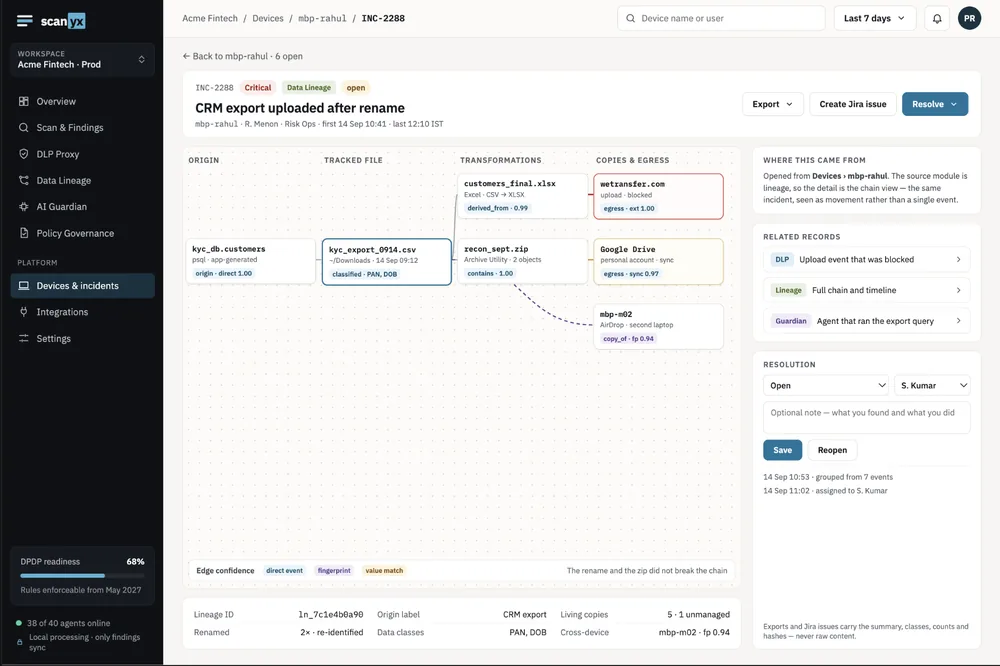
Find and classify personal data at rest on every laptop, and trace each copy back to where it came from.
DPDP Rules enforceable 13 May 2027
Find personal data on every laptop, stop it leaking, and keep AI tools in check, with the evidence the DPDP Act asks for.
Free for up to 5 laptops About 2 minutes to install Files never leave the laptop
The platform
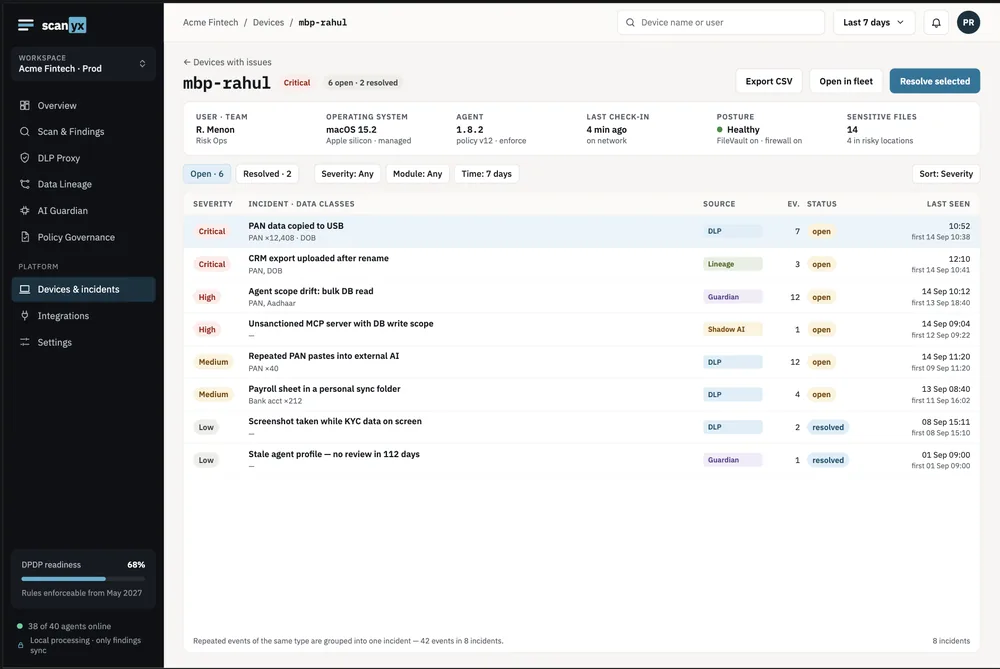
Know where personal data sits, control how it leaves, and govern the AI that reads it. Each module works on its own and shares one incident view.
Find and classify personal data at rest on every laptop, and trace each copy back to where it came from.
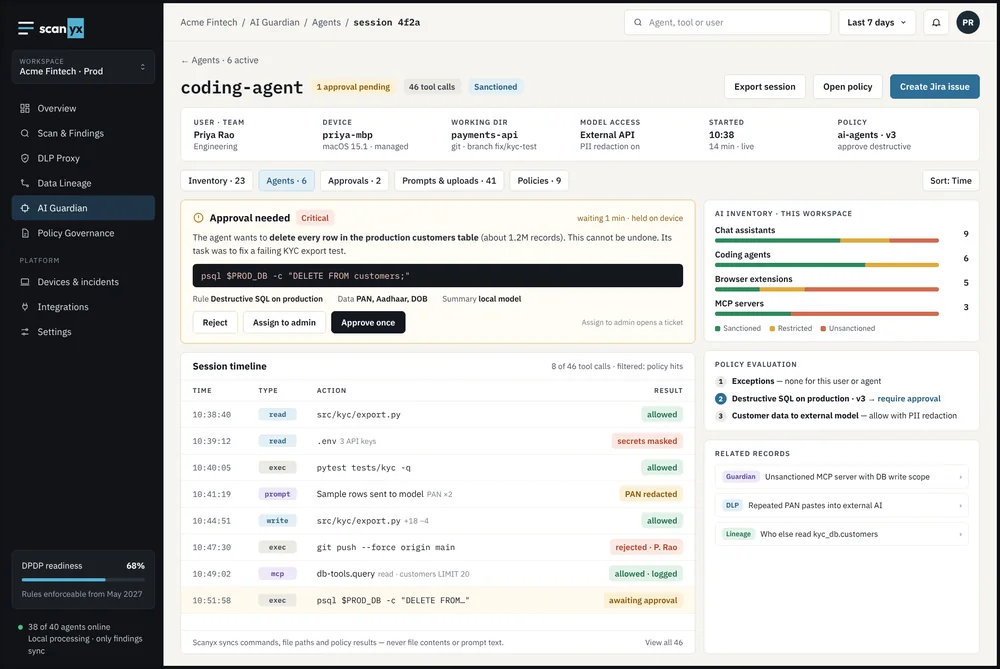
Stop personal data leaving through USB, AirDrop, personal cloud, web uploads and AI chats, per team and data type.
Govern the AI tools and agents your teams use: what they are, what data they touch, and which actions need a human.
The blind spot
A KYC export copied to a pen drive or a personal laptop.
Sync folders, WeTransfer and web uploads to personal accounts.
Customer records pasted into chatbots to “summarise this”.
Coding agents that read secrets, run commands and edit files.
How it works
Run the installer, or push it to every laptop through your MDM.
e.g. a KYC export with Aadhaar numbers left in Downloads, plus disk-encryption and firewall checks.
Per team and data type. e.g. block payroll to USB; warn before pasting PAN into an AI chat.
Timeline and record counts ready for the 72-hour breach report. Send to Jira in one click.
Which file, what data, how many records, and exactly which rule fired and why. A masked preview confirms the match without exposing it.
AI governance
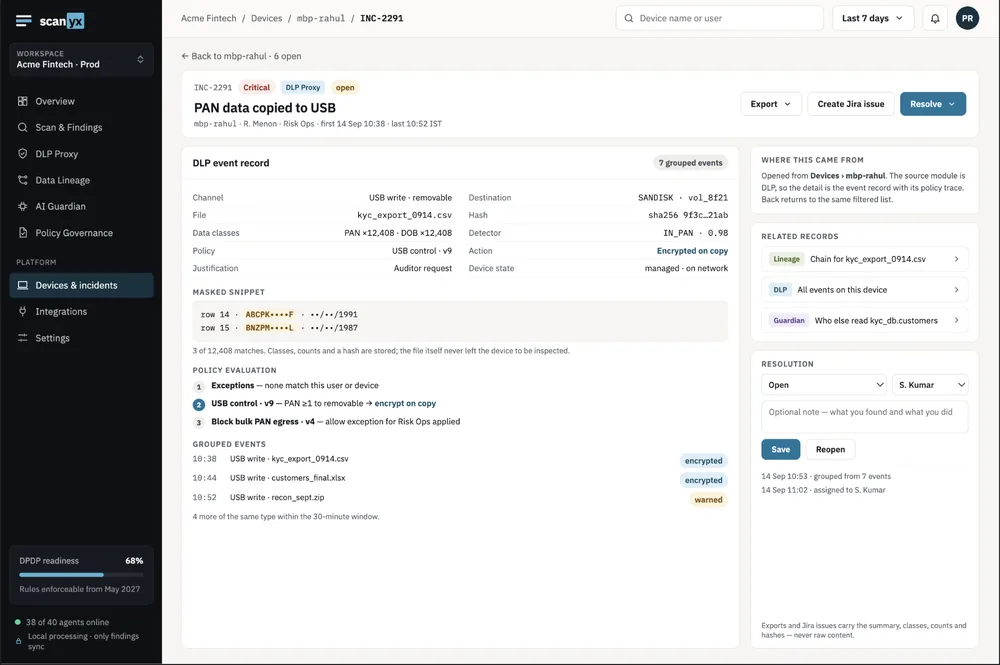
Your teams already use chatbots, copilots and coding agents. AI Guardian shows you which ones, what they touch, and puts a human in front of the actions that matter, so regulated teams can adopt AI without guessing.
Illustrative session. Approvals assigned to an admin open a ticket automatically.
Built for
Every team touches data the DPDP Act protects, and now so do their copilots and agents.
Enterprise buyers want proof that their customers’ personal data is safe on your laptops. Show them.
Large teams handle personal data all day, often from home or shared machines.
Privacy by design
Data type, record count, file hash, masked preview, rule applied.
The files, or the personal data inside them.
CSV and Jira carry the summary only, safe as evidence.
DPDP readiness
Scanyx supports compliance work; it does not replace legal advice. Read the DPDP guide →
From the blog
What India’s DPDP Act and Rules require from security and IT teams: the May 2027 deadline, Rule 6 safeguards, 72-hour breach reporting, penalties up to ₹250 crore, and a six-month plan.
Read the guide →How banks, NBFCs and fintechs can adopt AI safely: what RBI’s FREE-AI framework, MeitY’s guidelines and the DPDP Act expect, the five risks to govern, and a seven-step playbook.
Read the guide →How endpoint DLP stops personal data leaking from laptops through USB, cloud, uploads and AI tools: channels to cover, detecting Aadhaar and PAN accurately, response actions, and a rollout plan.
Read the guide →Free for up to 5 laptops. For larger teams, we’ll go through pricing on the demo.
No. Files are checked on the laptop. Only a summary — data type, record count, file hash and a masked preview — leaves it.
No. Most teams approve the tools they trust and set rules on the data. Scanyx can warn, redact or block when personal data is about to be pasted or uploaded, and allows everything else.
AI tools and agents running on or used from employee laptops, including coding agents and assistants. Scanyx records sessions and tool calls, and can hold risky actions for approval.
It doesn’t have to. Warn or encrypt instead of blocking, and allow exceptions with a written reason.
Work laptops and desktops, office or remote. The same rules apply everywhere.
Yes. Create a Jira issue from any incident, or export CSV. Never raw data.
About 2 minutes per laptop, or push to every laptop at once through your MDM.
See Scanyx on your own laptops in 20 minutes: data posture, DLP and AI Guardian. Free for up to 5 laptops.